Ubiquiti router buying guide
Pick a router by port count
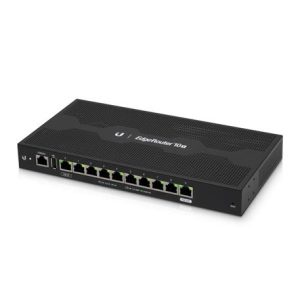
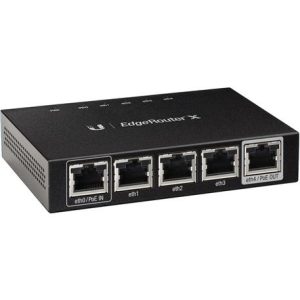
Ubiquiti routers here include 4 port, 5 port, 6 port, 8 port, 10 port and 12 port models. Count your internet connection, your switch uplink and any device that plugs in directly. Leave a spare port or two for growth. A small office with one switch needs fewer ports than a site with several network segments.
Understand passive PoE
Some models send power over the network cable. The 8 port passive PoE router and the EdgeRouter 6 port PoE can power compatible gear without a separate adapter. Passive PoE is not the same as standard 802.3af or 802.3at, so check the powered device before you plug it in, or it may not work or could be damaged.
Related Ubiquiti items
The airCube ISP WiFi Router and the airCube AC UniFi AP add wireless coverage. The GPON CPE connects a fiber service with 4 Ethernet ports. The Gen 2 Ethernet surge protector helps guard equipment on long cable runs, and the rackmount kit mounts an EdgeRouter in a closet.
Surge protection and cable runs
The Gen 2 Ethernet surge protector sits in line with a network cable and helps guard connected equipment from power surges. It is useful for outdoor runs, long runs between buildings and equipment in areas with frequent storms. It does not replace a good ground or a battery backup on the router itself.
Common questions
Do these routers work with VoIP phones?
Yes. They route traffic for VoIP phones the same as any network device. Voice quality depends on setup, so ask our technical support team if you need help.
Can I power a phone from the router?
Only if the phone supports the same passive PoE the router sends. Many VoIP phones use standard PoE instead, so a PoE switch or injector may be the safer choice.